
Working With Spec Kit
Working With Spec Kit
Spec Kit can feed Gemba’s Beads planning model as a bootstrap pack. Use it when you want a feature specification, user-story plan, and implementation task list to become reviewed Beads work without hand-copying every story and task.
Gemba treats Spec Kit as a planning source. Beads remain the work system of record, and generated items remain drafts until you ratify them into a selected Beads database.
What Gemba Reads
Gemba scans the project worktree for Spec Kit feature directories in either location:
specs/<feature-id>/.specify/specs/<feature-id>/
Each feature directory may contain:
spec.mdfor the feature title, user stories, acceptance scenarios, and functional requirements.plan.mdfor plan provenance and operator context.tasks.mdforT###implementation tasks.
The upstream Spec Kit task template groups work by user story, uses the
format T### [P] [US#] Description, and defines [P] as parallel-safe
work in different files with no dependency overlap. Gemba preserves
those markers as Beads traceability metadata.
Mapping To Beads
Gemba projects one Spec Kit feature into this draft Beads hierarchy:
| Spec Kit artifact | Beads item |
|---|---|
| Feature directory | Milestone |
| Feature-level requirements | Epic under that milestone |
User Story # in spec.md | Story under the feature epic |
T### row in tasks.md | Task under the matching story when [US#] is present |
Setup and foundational tasks without [US#] are parented under the
feature epic. If a feature has no parsed user stories, Gemba creates a
fallback story so tasks still have a stable planning parent.
Every synced item receives traceability labels:
source:spec-kitspeckit:<feature-id>speckit:milestone,speckit:epic,speckit:story, orspeckit:taskspeckit:US#for stories and story-owned tasksspeckit:T###for implementation tasksspeckit:parallelfor[P]tasks
The same values are mirrored into custom fields where the active WorkPlane supports them.
Bootstrap From Scratch
-
Create or adopt the project worktree.
-
Initialize Spec Kit and generate at least one feature with
spec.mdandtasks.md, or let Gemba create the scaffold from the Bootstrap tab. -
Initialize Beads for the worktree, or start Gemba with a Beads/Dolt source that points at an empty database.
-
Start Gemba:
Terminal window gemba serve --project-dir /path/to/project --open -
Open Refine, switch to Bootstrap, and choose the Spec Kit feature.
-
Use Spec Files to review or edit
spec.md,plan.md,tasks.md, and scaffold templates in place. -
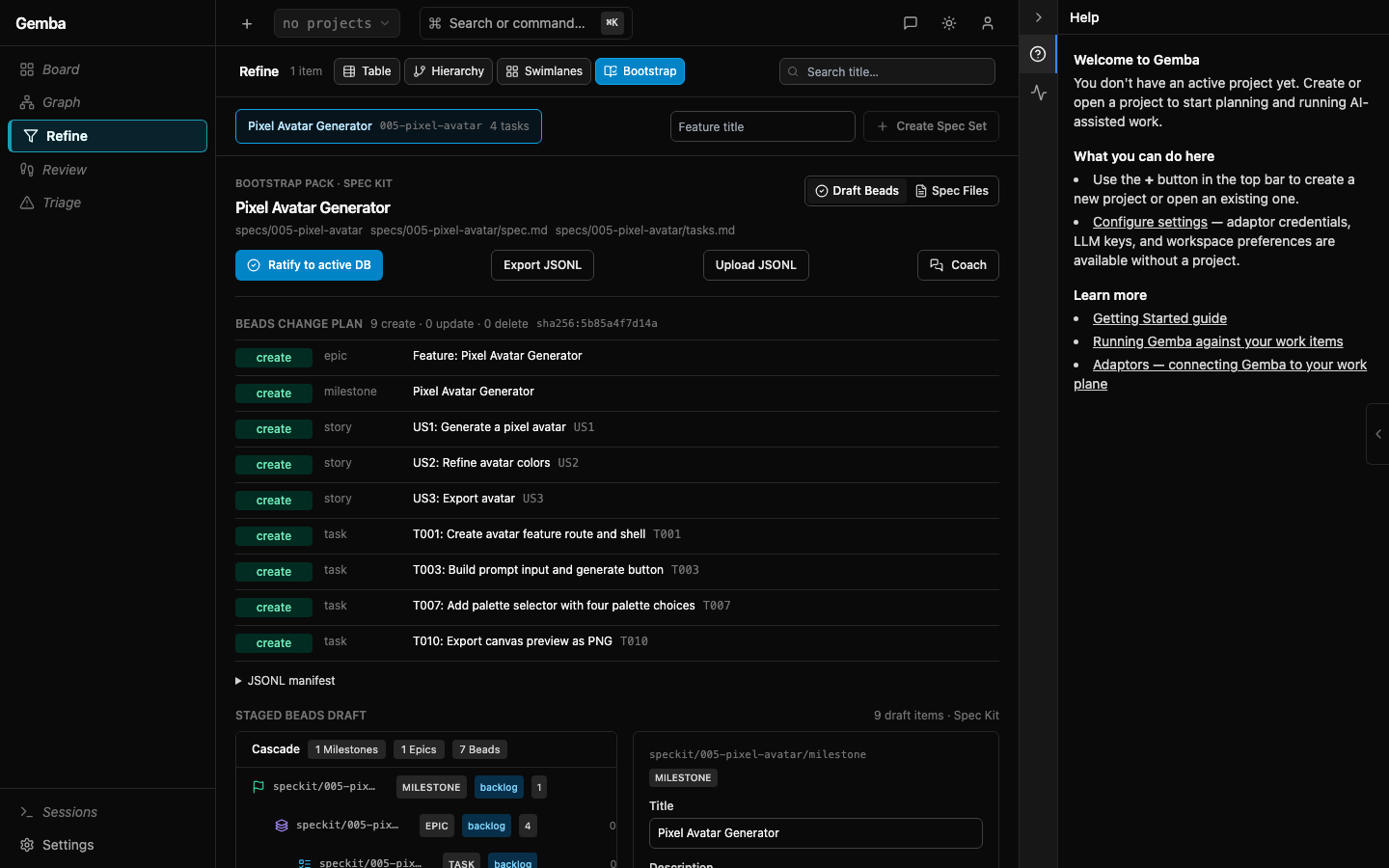
Review the staged Beads draft in the cascade view.
-
Open Coach to reshape the set as a batch, or edit individual draft items on the right.
-
Click Ratify to active DB when the draft matches your intent, or click Export JSONL to keep it as a portable Beads manifest.
The first ratification creates the milestone, epic, stories, and tasks. Before that click, nothing has been written into the Beads database. From that point forward, Beads are the operational surface for dispatch, dependency review, coaching, and progress tracking.
Container Beads-Only Mode
Spec Kit boot/editing needs a mounted project worktree because Gemba
must read and write specs/ and .specify/. Use --project-dir /
GEMBA_PROJECT_DIR, not a Dolt URL, when you want the Spec Kit editor
surface.
Run the published container against a local project that contains
.beads/ and may contain specs/:
cd /path/to/your/project
docker run --rm -it \  --name gemba-spec-kit-beads \  -p 7666:7666 \  -v gemba-data:/data \  -v "$PWD:/work" \  -e GEMBA_BEADS_ONLY=true \  -e GEMBA_PROJECT_DIR=/work \  soflo1/gemba-core:latest
Open the printed Open: URL, then go to Refine -> Bootstrap.
If /work/specs/... already exists, Gemba loads those feature sets. If
not, click Initialize Spec Kit, then Create Spec Set.
The equivalent raw server command inside a container is:
gemba serve \ --listen 0.0.0.0:7666 \ --auth token \ --beads-only \ --project-dir /work \ --orchestration noneAdd To Existing Beads
Use the same flow against an existing Beads database. Gemba only
reconciles Beads with both source:spec-kit and the matching
speckit:<feature-id> label, so unrelated backlog items are left alone.
This lets you introduce Spec Kit incrementally:
- Add
specs/<feature-id>/spec.mdandtasks.md. - Open Refine -> Bootstrap.
- Review the create/update/delete plan and the staged draft set.
- Use the RHP coach for batch changes if the decomposition does not match how you want the project represented.
- Ratify after the plan and draft match your intent.
Editing Spec Kit In Gemba
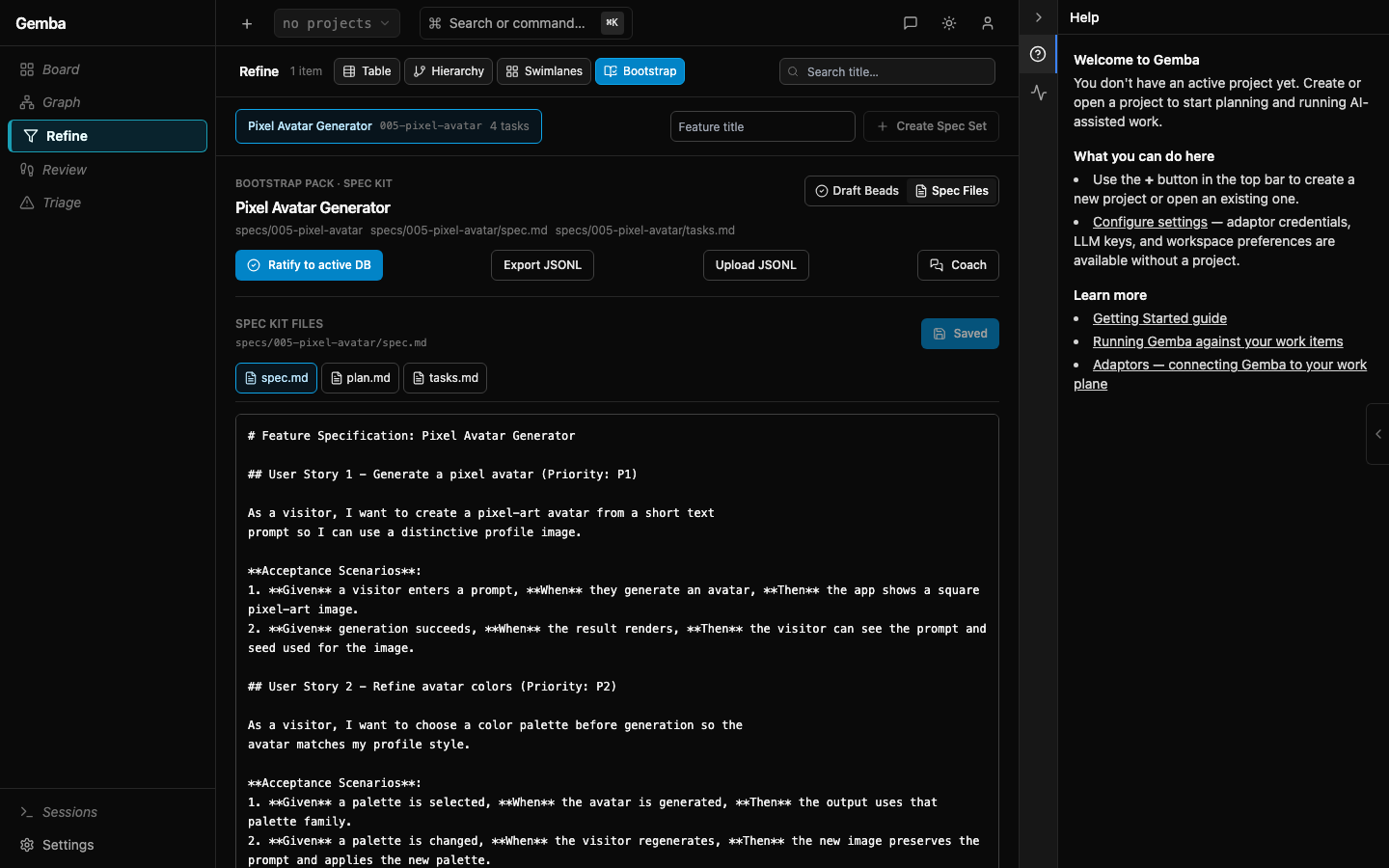
The Bootstrap tab is also a small Spec Kit workspace editor. The left
toolbar lists feature spec sets and includes Create Spec Set. The
Spec Files tab opens the selected feature’s files across the top of
the editor, followed by shared
.specify/ templates and constitution files. Save writes the edited
text back into the project worktree; the Beads draft remains staged
until you ratify it separately.
If the project has no Spec Kit files yet, click Initialize Spec Kit.
Gemba creates specs/ plus a minimal .specify/ scaffold in the active
--project-dir. Use Create Spec Set to start a new
specs/<feature-id>/ directory with spec.md, plan.md, and
tasks.md. This is useful for incremental specs: edit the source files,
review the refreshed draft, adjust with the coach or cascade editor, and
ratify only when the generated Beads reflect your current intent.
After the source files look right, switch back to Draft Beads to review the generated hierarchy before ratification.
Iterative Sync
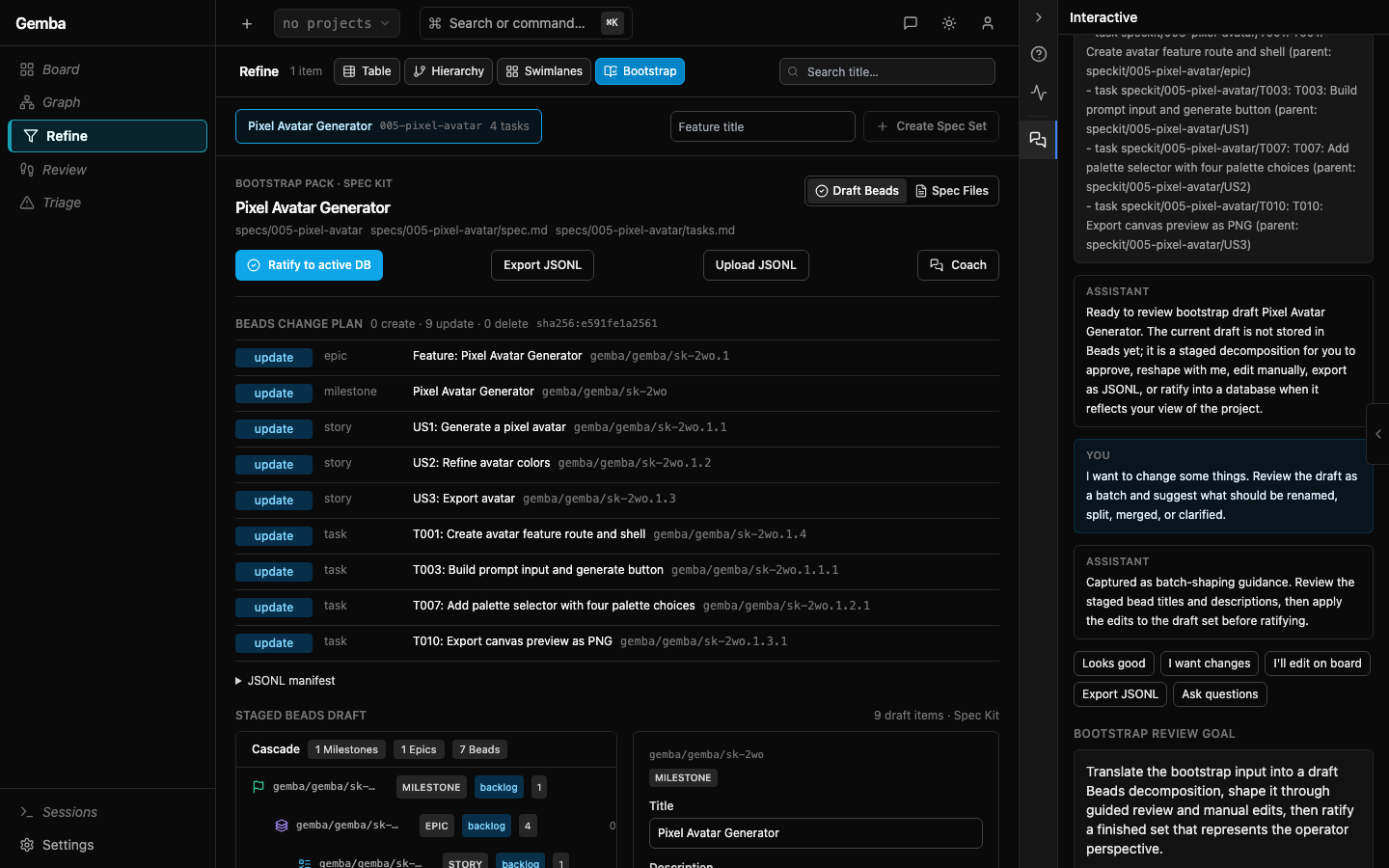
Spec Kit can be applied repeatedly. Gemba compares the current artifacts with previously synced Beads by trace labels and produces a staged plan:
- Create when a milestone, epic, story, or task exists in Spec Kit but has no matching Bead.
- Update when a matching Bead exists and should be refreshed from the current artifact text.
- Delete when a previous
source:spec-kitBead for that feature no longer appears in the Spec Kit artifacts.
The preview includes a plan hash. The ratify endpoint requires that hash, so a stale browser tab cannot apply a plan after the files or Beads have changed. Plans with deletes require explicit stale-delete approval in the UI before Gemba applies them.
Guided Review
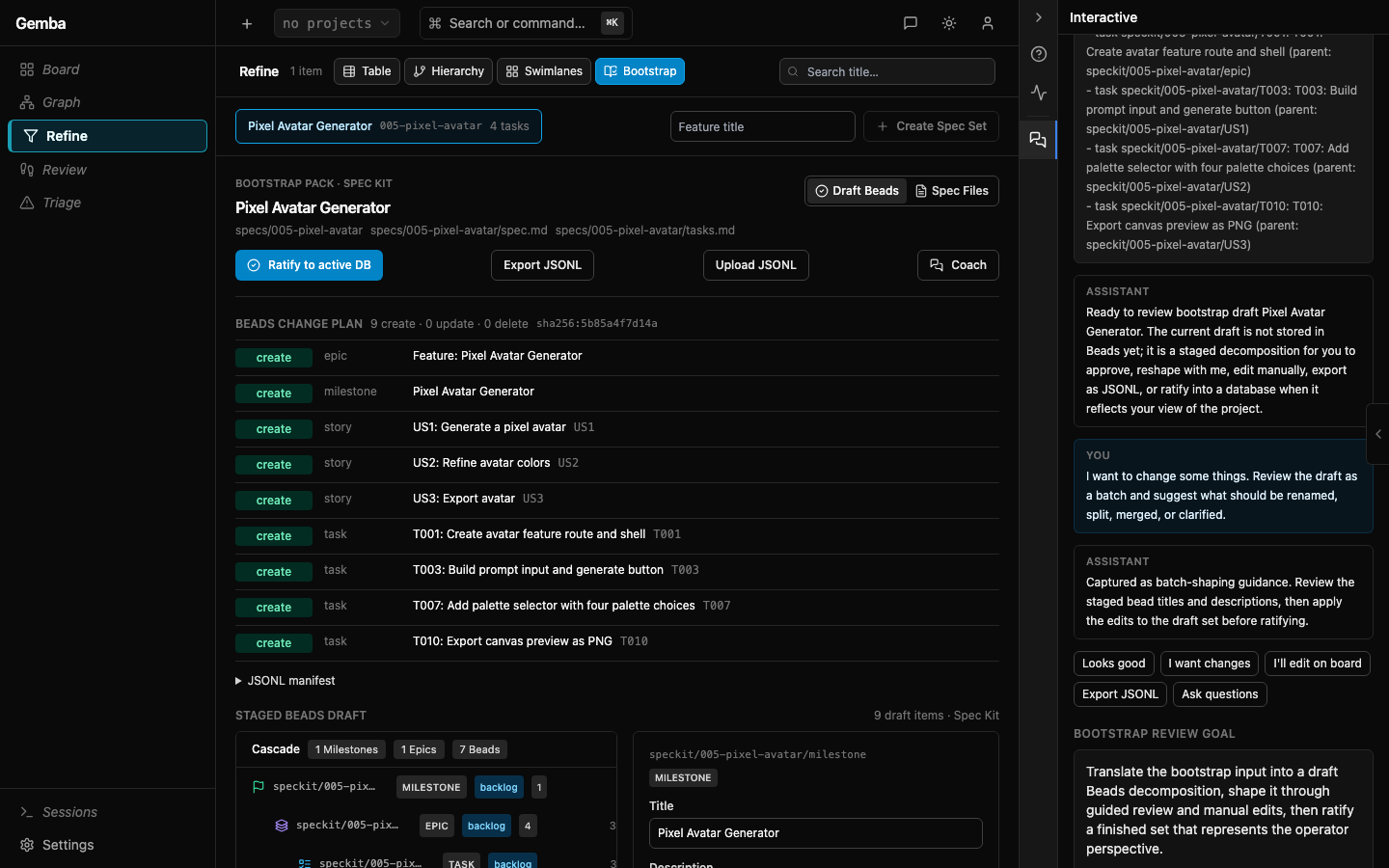
The Coach button opens a bootstrap-scoped RHP interaction. Gemba seeds the interaction with the goal and the full Spec Kit context: feature title, source paths, user stories, acceptance scenarios, functional requirements, tasks, plan hash, change counts, and the draft item tree.
Prepared reply bubbles cover common review moments:
- Looks good asks for a final readiness check.
- I want changes asks the coach to suggest batch renames, splits, merges, or clarifications.
- I’ll edit on board tells the coach you will make manual cascade edits.
- Export JSONL keeps the draft portable without committing it.
- Ask questions asks the coach to surface missing clarification before ratification.
The coach can help reshape the set, but database writes still happen
only when you ratify the draft or use a separate bd import.
After Ratification
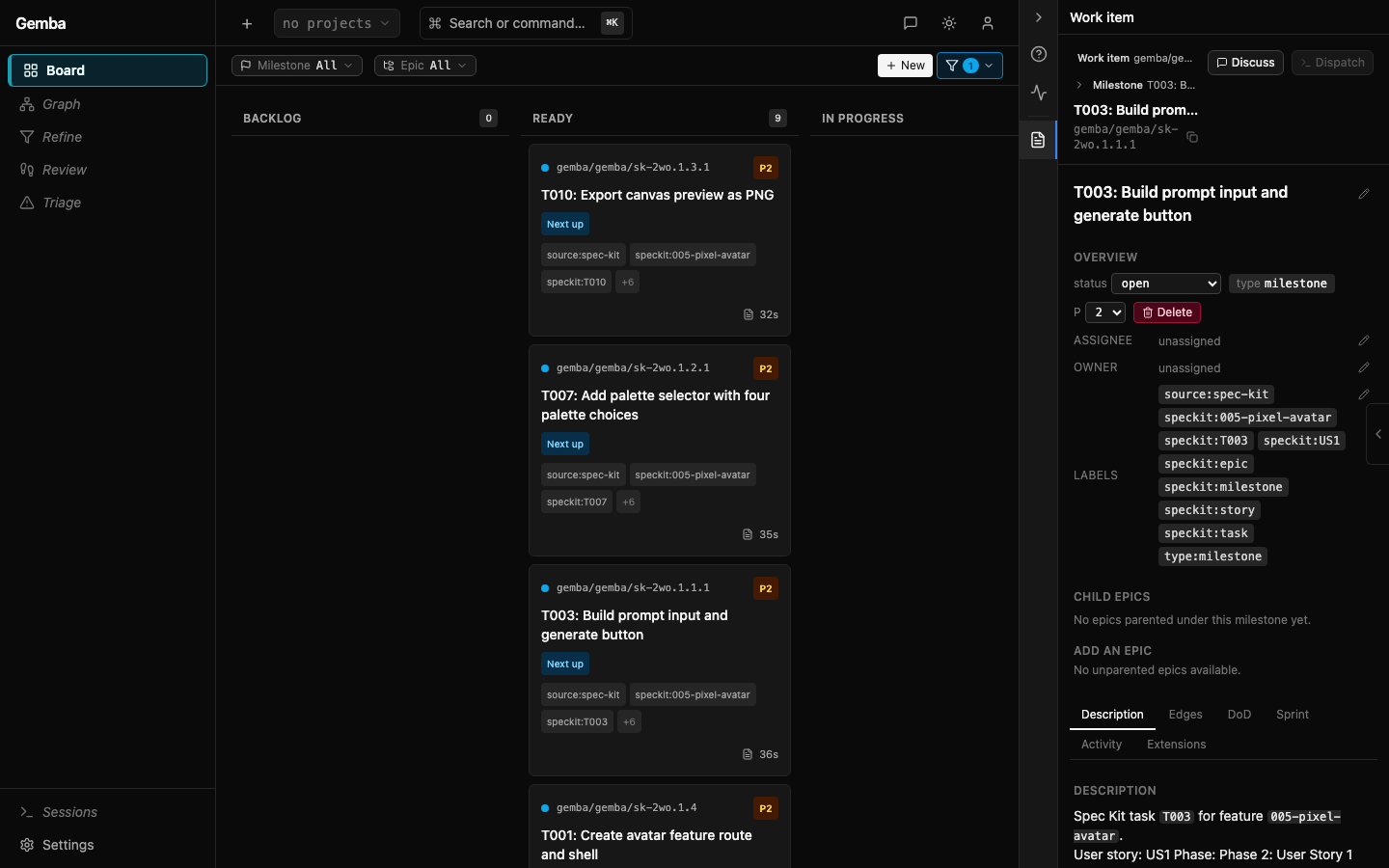
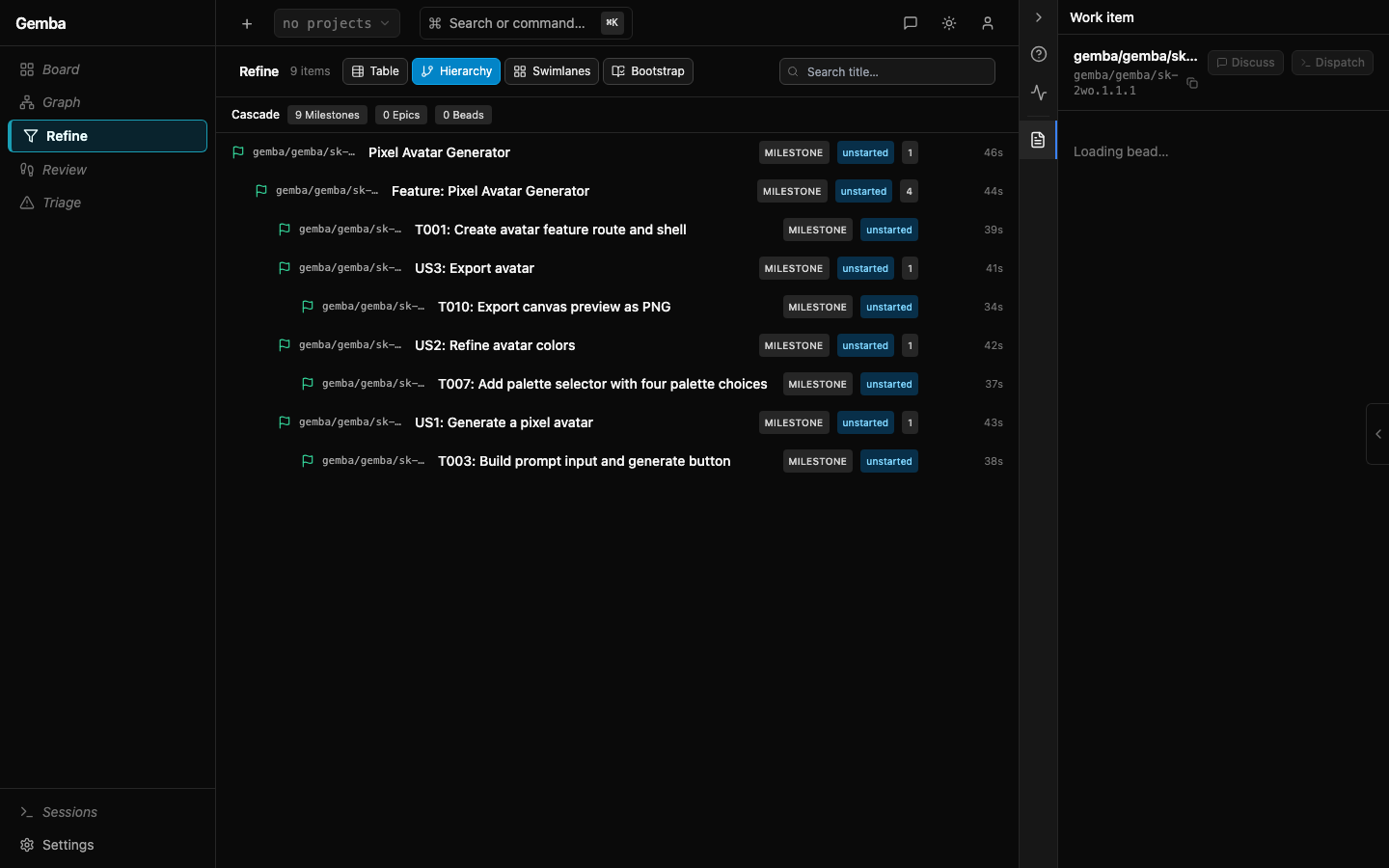
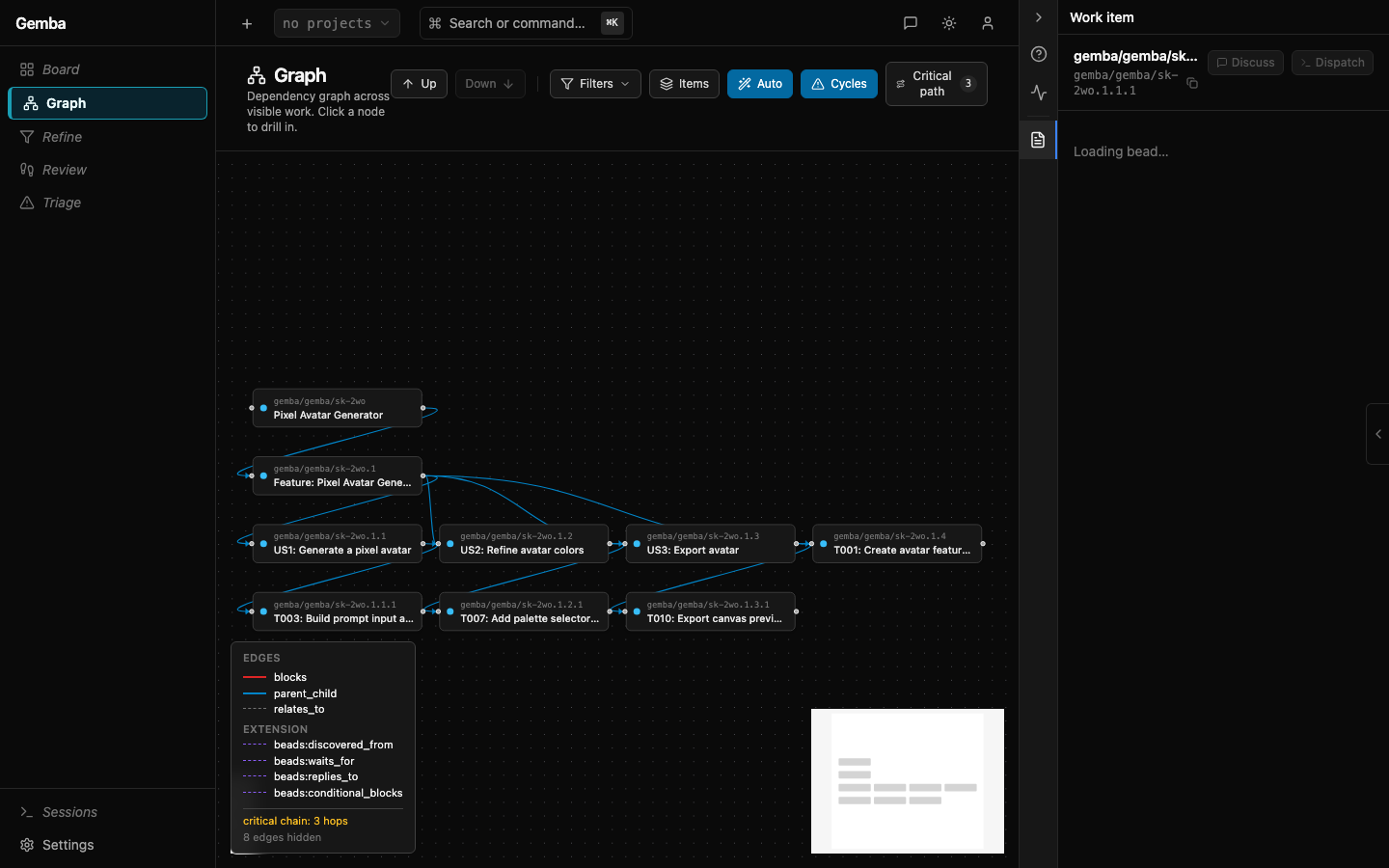
Ratifying a Spec Kit draft writes the approved milestone, epic, stories, and tasks into the active Beads database. The source trace labels stay attached, so the generated items can be found later from Board, Cascade, Graph, and detail surfaces.
Board detail shows the generated Bead as normal operational work:
Cascade keeps the milestone -> epic -> story -> task shape visible:
Graph shows the same generated work in dependency and relationship context:
JSONL Drafts
The Bootstrap panel includes JSONL preview, export, and upload. Use export when you want a Beads-compatible manifest without writing to a database:
bd import --dry-run spec-kit-manifest.jsonlbd import spec-kit-manifest.jsonlThe manifest uses stable synthetic IDs such as
speckit/001-auth/T001, so repeated imports can upsert the same
feature work. Direct bd import is useful for create/update recovery,
but the Gemba ratification path is preferred because it stages deletes
and checks the plan hash before mutating Beads.
You can also upload a Beads JSONL file back into the Bootstrap panel. Uploaded items are treated as a draft set: inspect them in cascade, edit details, then ratify into the active database or re-export JSONL.
Coach And Planning Use
Spec Kit also gives coaches better planning signals:
- Story independence from Spec Kit’s user-story structure.
- Acceptance criteria from
spec.md. - Parallelism hints from
[P]task markers. - Source drift checks from trace labels and custom fields.
Coaches should treat [P] as a planning hint, not a dispatch order.
Gemba’s normal dependency, file-conflict, and session-capacity checks
still decide what can run safely.
Troubleshooting
If the Bootstrap tab is empty, check that the feature directory is under
specs/ or .specify/specs/ beneath the same path passed to
--project-dir.
If ratification is disabled, wait for the change plan and draft set to finish loading. If the plan includes deletes, approve stale deletes after reviewing the list.
If ratification fails with a stale plan hash, reload the plan and review the new change list before applying it.
Upstream Extension
Gemba ships an upstream-ready Spec Kit extension package at
integrations/spec-kit/gemba-sync/.
Install it into a Spec Kit project with:
specify extension add --dev /path/to/gemba-core/integrations/spec-kit/gemba-syncThe extension registers an optional after_tasks hook. After
tasks.md generation it can stage the Gemba Beads sync plan
automatically and print the create / update / delete counts. By default
it does not apply changes; set auto_apply: true in
.specify/extensions/gemba/gemba-config.yml only when you want the hook
to POST the approved plan hash back to Gemba.
Delete plans are still protected: auto-apply refuses deletes unless
allow_deletes: true is set after review.